Domain Verification Events
Domain verification events are now more visible and actionable.
First experiences often shape our whole experience. And the first experience at Resend is setting up a domain.
While the entry point for any user, domain verification can be a frustrating experience. The steps are straightforward: add a few DNS records, click verify, and wait.
But waiting raised important and frustrating questions:
- Context: why is verification taking so long?
- Visibility: what records are still propagating?
- Action: what should I do if something goes wrong?
Today, we're excited to announce a complete overhaul of the domain verification experience. Domain verification now provides feedback at every step of the process.
Prefer watching a video?
Here are the key improvements:
- DNS Provider Detection
- New Verification Timeline
- DNS Propagation Status
- New Error Messages
- Partial Verification
- Capability-Aware Domain Details
DNS Provider Detection
When possible, we detect the DNS provider from your domain's nameservers and use it to provide a direct link to your DNS settings, making it easier to add the required records.
New Verification Timeline
When you start verifying a domain, you'll now see a step-by-step timeline that updates as the verification progresses.
DNS Propagation Status
As your records propagate, you'll see banners showing which records haven't been validated yet—DKIM, SPF, MX, or some combination. More visibility into each step allows you to act immediately if a record is missing or invalid.
Once we validate your records, a status will indicate your records are correct and we're awaiting only internal verification.
New Error Messages
The best error messages are specific and actionable. Each specific domain verification failure now includes a title, clear identification (i.e., which SPF record), a full description, and actions to fix the problem.
Partial Verification
Resend can support two independent capabilities: sending and receiving.
We've now introduced a partially verified status to reflect if only one capability is verified.
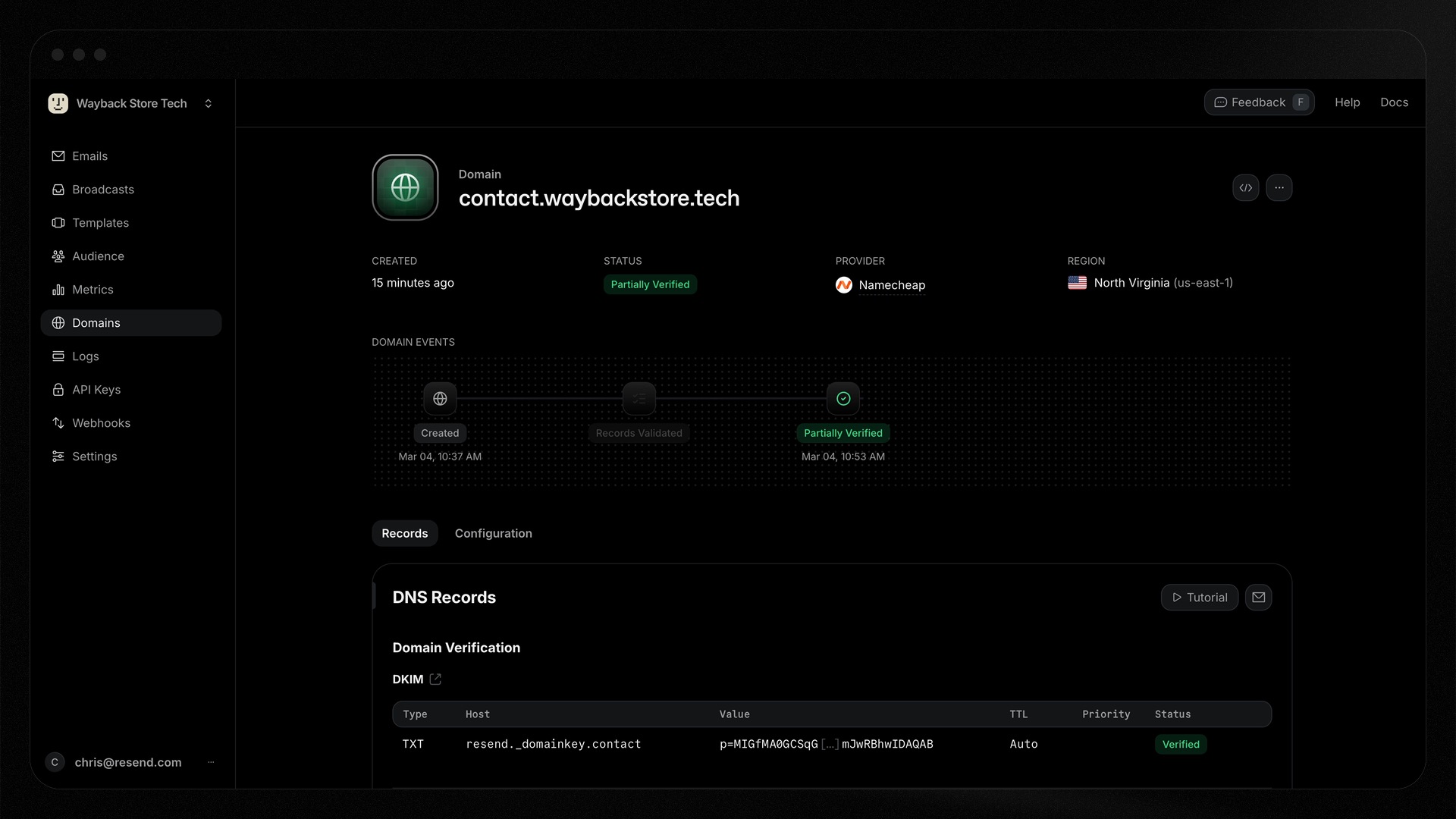
If one capability fully fails while the other is verified, you can restart the verification process for only the capability that failed.
Capability-Aware Domain Details
If your domain doesn't have sending enabled, sending-specific records like SPF and DMARC won't appear in the interface at all. You only see what's relevant to your domain's actual configuration.
Once your domain is verified, the page opens the Configuration tab by default, since it holds the settings you're more likely to change after verification (e.g., click tracking, TLS, etc.).
Getting started
Developer experience starts from the first experience.
We trust these changes will help you get your domain verified faster and with less frustration. Add a domain to see the new experience today.
How can we improve this experience? Contact us. We're always looking for ways to improve the developer experience.